# Redacted .docx files
## Format of a .docx file preview
For a .docx file preview:
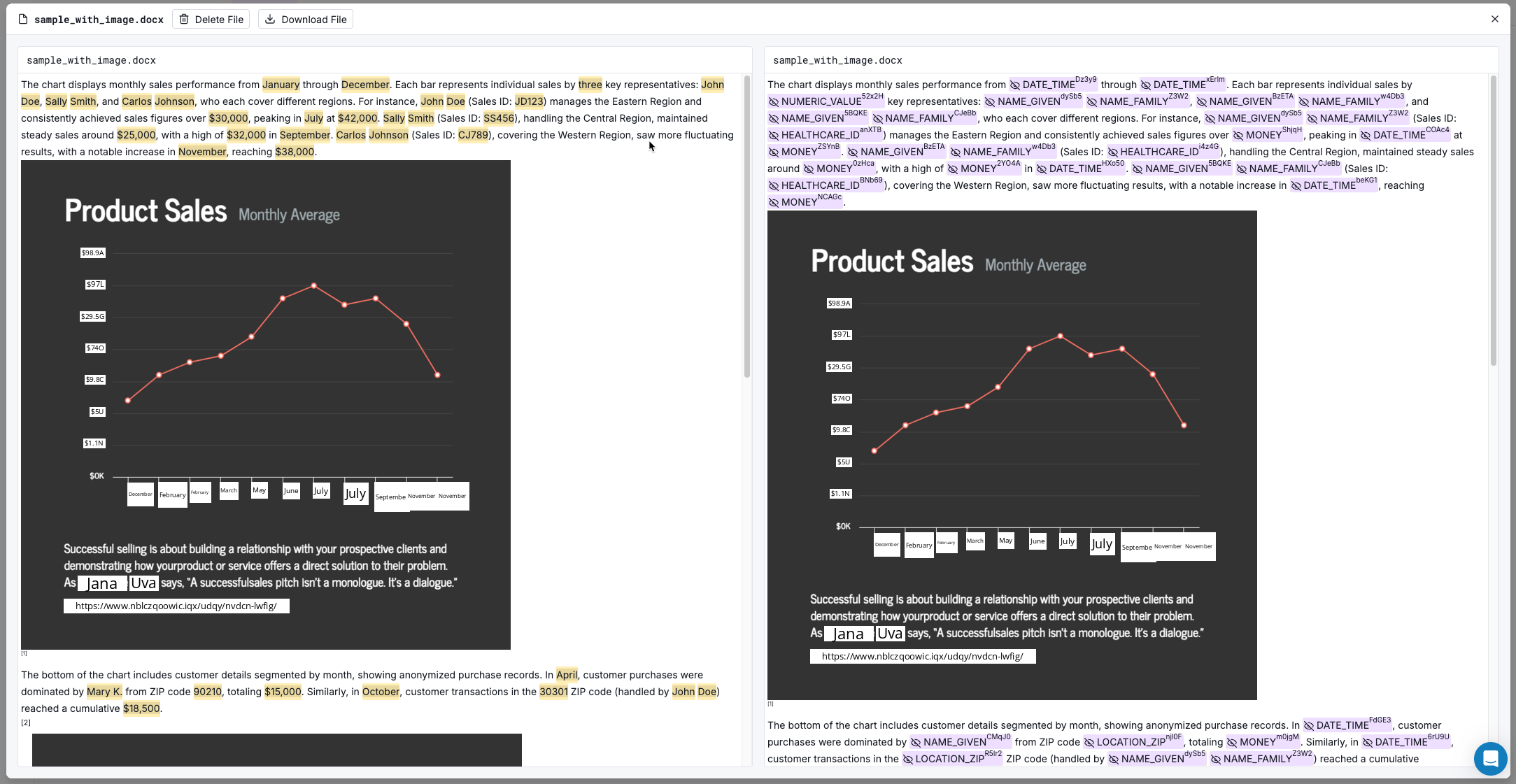
* On the left, the preview displays the original data. The detected entity values are highlighted.
* On the right, the preview displays the data with replacement values that are based on the dataset configuration for the detected entity types.
The preview respects the [dataset configuration for handling .docx file components](https://docs.tonic.ai/textual/dataset-configure-redaction/dataset-set-config-file-components).
File preview for a .docx file
## Selecting entity type handling options
From a .docx file preview, to select the [entity type handling option](https://docs.tonic.ai/textual/dataset-configure-redaction/textual-datasets-select-handling-type#handling-options-available) for an entity type:
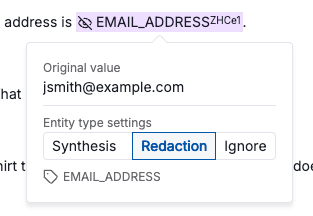
1. In the results panel, click a detected value.
2. On the details panel, click the entity type handling option.\
\
Textual applies the same option to all entity values of that type.
Selecting an entity type handling option
From the preview, you can only select the entity type handling option. For the **Synthesis** option, you cannot configure synthesis options for an entity type. You must configure those options from the dataset details page. For more information, go to [textual-datasets-synthesis-options](https://docs.tonic.ai/textual/dataset-configure-redaction/textual-datasets-synthesis-options "mention").