# Pushing redacted files to the destination location

When you finish configuring the redaction, to push the redacted files to the destination location, click **Push changes**.

<figure><img src="https://3072847115-files.gitbook.io/~/files/v0/b/gitbook-x-prod.appspot.com/o/spaces%2FvOPn7KQptPWmS5iKg5P0%2Fuploads%2FZBGG2M2mL8gUKK42KDB3%2FItemPushChangesOption.png?alt=media&#x26;token=0a410474-4ff8-4960-9e44-04db3102dea2" alt=""><figcaption><p>Push Changes option to write the redacted files to the output folder</p></figcaption></figure>

You can cancel the push if needed.

<figure><img src="https://3072847115-files.gitbook.io/~/files/v0/b/gitbook-x-prod.appspot.com/o/spaces%2FvOPn7KQptPWmS5iKg5P0%2Fuploads%2FPmuXtnG1kjzajLTORhWN%2FCancelPushOption.png?alt=media&#x26;token=a6aba2b9-5a00-4cfb-a211-3e26c072a145" alt=""><figcaption><p>Cancel Push option to cancel the push</p></figcaption></figure>

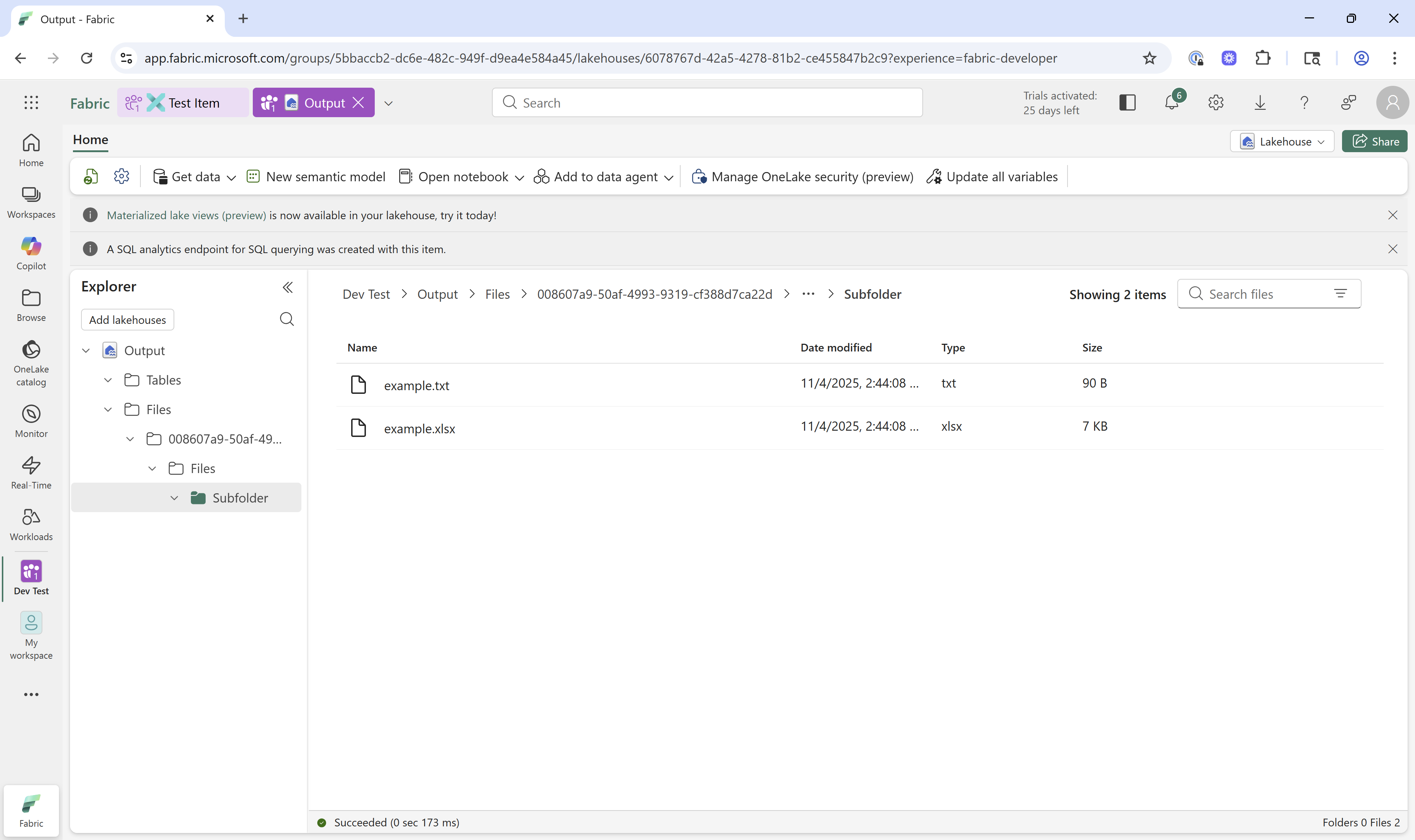
Textual writes the redacted files to the output folder.

<figure><img src="https://3072847115-files.gitbook.io/~/files/v0/b/gitbook-x-prod.appspot.com/o/spaces%2FvOPn7KQptPWmS5iKg5P0%2Fuploads%2Fmyx07hjHA28h5mMPPZrD%2FViewOutputFiles_2.png?alt=media&#x26;token=a0535c04-9062-402e-b49f-d60c9182dd1f" alt=""><figcaption><p>Redacted files in the output folder</p></figcaption></figure>

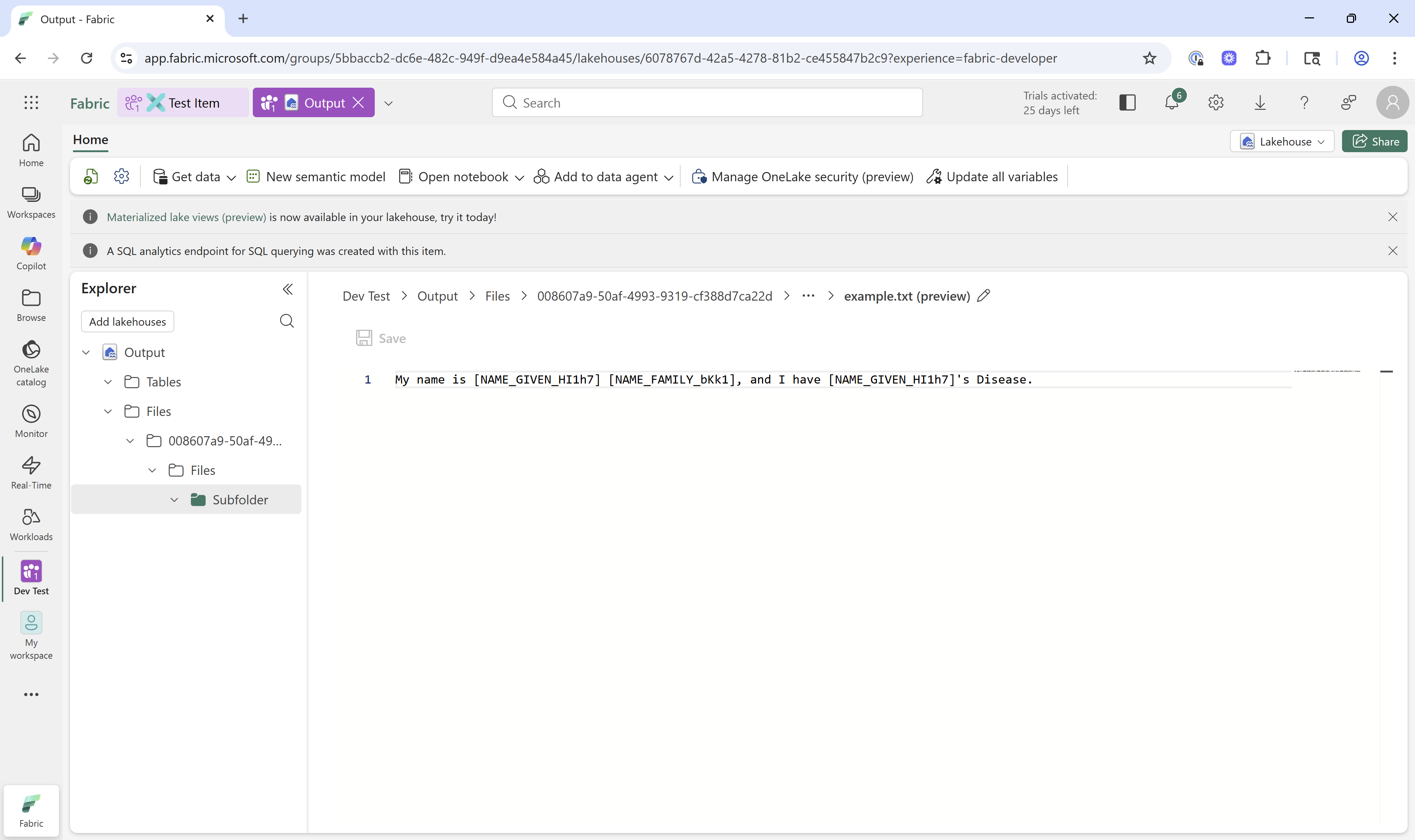
To view the redacted content of a file:

1. Click **Browse**.
2. Select the output lakehouse.
3. In the output lakehouse, navigate to the output folder.
4. Select a file to view

<figure><img src="https://3072847115-files.gitbook.io/~/files/v0/b/gitbook-x-prod.appspot.com/o/spaces%2FvOPn7KQptPWmS5iKg5P0%2Fuploads%2F7KCuYNJPrdIKgsHMZSBV%2FFileWithRedactedValues.png?alt=media&#x26;token=7fa59c64-f2cd-41b2-bafb-11ef78fb2dd3" alt=""><figcaption><p>Content of a redacted file in the output</p></figcaption></figure>